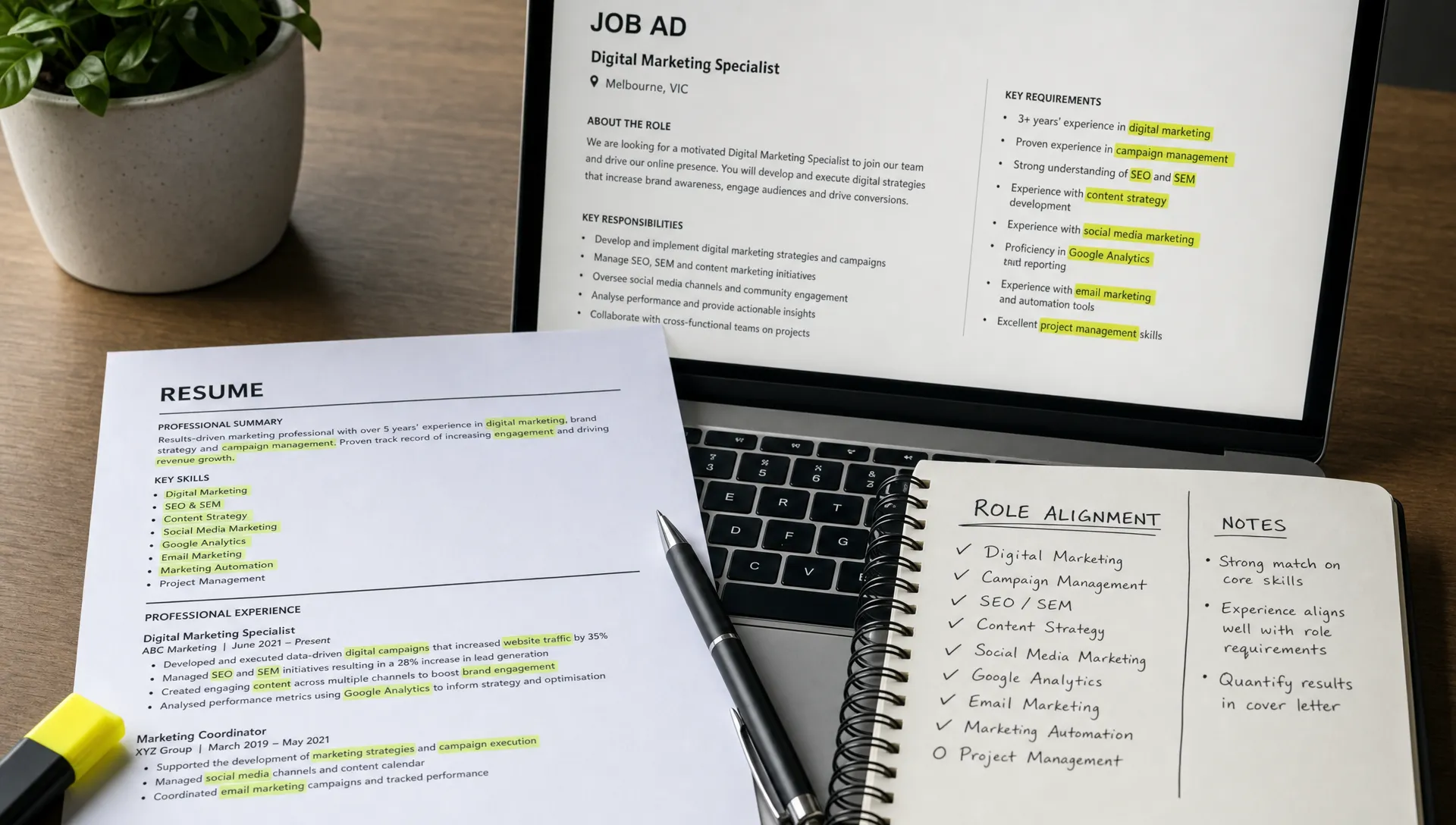
Quick Apply on LinkedIn feels like a gift when you are tired, busy, or trying to keep momentum in a competitive job market. One tap, one resume, and your application is sent. For students, graduates, and career changers, that speed can feel especially appealing because the job search already asks for so much: role research, resume tailoring, cover letters, networking, interviews, and constant rejection management.
But speed has a trade-off. Quick Apply can help you get in early and apply consistently, but it can also encourage low-quality applications that never make a strong case for you. The real question is not whether Quick Apply on LinkedIn is good or bad. The better question is: are you using it at the right moment, for the right roles, with a resume that is already aligned?
On LinkedIn, many people use “Quick Apply” to describe LinkedIn’s Easy Apply feature. If you want a broader breakdown of how the feature works, Versadox has a separate guide on whether you should use Easy Apply on LinkedIn. This article takes a different angle: when Quick Apply improves your job search, when it quietly weakens it, and how to use it without becoming another ignored application.
What Quick Apply actually changes
Quick Apply changes the amount of friction between seeing a role and submitting an application. That sounds simple, but it changes your behaviour.
When applying is easy, you naturally apply to more roles. That can be useful if you are targeting roles where your resume is already a strong match. It can also be risky if you start applying before checking whether your skills, experience, keywords, and career story match what the employer is asking for.
A traditional application process forces you to slow down. You may need to upload a tailored resume, answer screening questions, write a cover letter, or complete a short form. These steps can feel annoying, but they also create moments where you ask: “Am I actually a good fit for this?”
Quick Apply removes many of those moments. That is why it can be both helpful and harmful.
How Quick Apply can help your job search
Quick Apply is not automatically lazy. Used strategically, it can be a practical tool in your job search system.
It helps most when time matters. Some roles receive a large number of applications soon after being posted, especially entry-level, remote, graduate, administration, marketing, customer service, and technology roles. If your resume is already prepared for that role type, applying quickly can help you get into the pool earlier.
Quick Apply can also help you maintain consistency. Job hunting is mentally draining. If every application requires an hour of custom work, you may avoid applying altogether. A lower-friction option can keep you moving, especially on days when you have limited energy.
It can be useful when:
- The role is closely aligned with your current resume.
- The job ad is simple and does not ask for a detailed written response.
- You are applying early after the role is posted.
- You are using a resume tailored to that specific role family.
- The employer is likely screening for clear baseline criteria first.
For example, if you are a final-year student applying for marketing assistant roles and your resume already highlights social media scheduling, campaign support, Canva, analytics, part-time customer service, and university projects, Quick Apply may be reasonable for many similar roles.
The key is that your resume must already be doing the persuasion. If it is generic, thin, or unclear, Quick Apply simply sends a weak application faster.
How Quick Apply can hurt your chances
The danger of Quick Apply is not the feature itself. The danger is the mindset it can create.
Many job seekers start treating applications like lottery tickets. They apply to 50, 100, or 200 roles and assume volume will eventually solve the problem. Sometimes volume matters, but only when the applications are targeted enough to survive the first filter.
If your resume does not clearly match the role, Quick Apply can make you invisible faster. Recruiters and hiring managers are often looking for evidence that you understand the job and can perform the work. If your application looks like it could have been sent to any employer, it may not stand out.
Quick Apply can hurt when:
- You are applying to roles across unrelated industries without changing your resume.
- Your LinkedIn profile and resume tell different career stories.
- You are missing important keywords from the job ad.
- You are making a career change and need to explain transferable skills.
- The role is competitive and likely attracts many similar applicants.
- Your resume lists duties but not outcomes, projects, achievements, or evidence.
This is especially important for career changers. If you are moving from hospitality into business administration, retail into HR, or university into your first professional role, the employer may not immediately understand your fit. In those cases, a tailored resume or short cover letter can make the difference between “unclear background” and “promising transferable experience”.
The recruiter’s view: fast does not mean convincing
From the applicant side, Quick Apply feels efficient. From the employer side, it can create a crowded inbox.
A recruiter may see dozens or hundreds of applications for a single role. Many will be incomplete, generic, or poorly matched. That means the recruiter’s first task is not to admire every resume. It is to reduce the pile.
Your application needs to answer a few questions quickly:
- Can you do the core work described in the job ad?
- Do you have relevant experience, projects, education, or transferable skills?
- Are your documents clear, organised, and easy to scan?
- Do your resume and LinkedIn profile support the same story?
- Is there a reason to move you to the next stage?
This does not mean you need to be a perfect match. It means you need to make the match easy to see. If the recruiter has to work too hard to understand your relevance, Quick Apply has not helped you.
The same principle applies beyond job hunting. Businesses do not usually enter new markets just because expansion is possible. They assess readiness, opportunity, channels, risk, and fit first. Platforms that support AI market readiness scans for global expansion reflect the same lesson job seekers should borrow: speed is powerful only when it is backed by evidence and alignment.
The three-lane system: when to apply fast, tailor, or pause
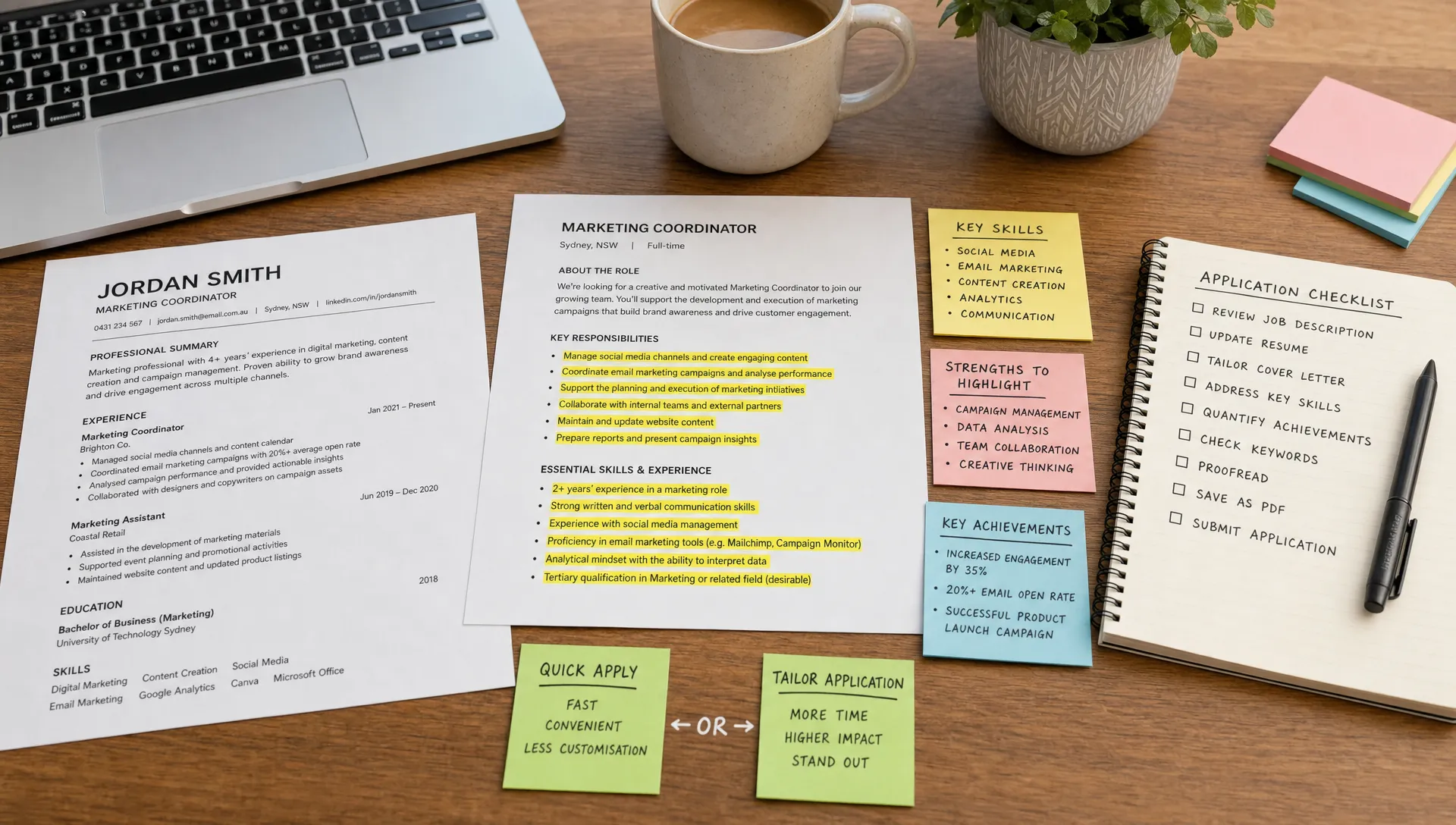
Instead of asking whether Quick Apply on LinkedIn is helping or hurting in general, sort each role into a lane. This helps you protect your time without lowering your standards.
- Lane 1, Quick Apply: Use this for roles where your resume already matches the title, responsibilities, skills, and level. Your documents should need little or no adjustment.
- Lane 2, Tailored Apply: Use this for strong opportunities where you match the role but need to adjust keywords, reorder achievements, or explain transferable experience.
- Lane 3, Pause or skip: Use this for roles where the gap is too large, the job ad is unclear, the company does not fit your goals, or you would need to invent relevance.
This system gives Quick Apply a proper place. It becomes one tool in your job search, not the whole strategy.
For many job seekers, Lane 2 is where the best opportunities sit. These are the roles where a small amount of tailoring can create a much stronger application. If you want to improve your speed without sacrificing quality, start by building a repeatable process for getting a job faster with a smarter application, rather than rebuilding everything from scratch each time.
A better way to use Quick Apply on LinkedIn
The goal is not to stop using Quick Apply. The goal is to make sure your “quick” application is still a strong application.
Start with role families. A role family is a group of similar jobs that require overlapping skills, language, and evidence. For example, “graduate marketing assistant”, “junior data analyst”, “customer success associate”, and “entry-level HR coordinator” are all different role families.
Once you choose a role family, build a resume version for it. That resume should reflect the recurring language in job ads, not just your personal history. If employers keep asking for stakeholder communication, reporting, CRM tools, rostering, campaign support, data cleaning, or complaint handling, your resume should show relevant evidence where truthful.
Then use Quick Apply only when that role family matches.
A strong Quick Apply routine looks like this:
- Read the job title, level, location, work rights, and core requirements before applying.
- Check whether your current resume version matches at least the main responsibilities.
- Scan for required tools, qualifications, or experience you genuinely have.
- Make sure your LinkedIn profile supports the same positioning as your resume.
- Save the role and track whether you receive views, rejections, screens, or silence.
This should only take a few minutes, but it is different from applying blindly. You are still making a decision.
What your resume needs before you use Quick Apply
If you are going to rely on a fast application method, your resume has to carry more weight. It needs to be clear enough to survive a quick scan and specific enough to show fit.
The first improvement is focus. A resume that tries to be suitable for every job often feels suitable for none. Your summary, skills, experience bullets, projects, and education should point toward the type of work you want next.
The second improvement is evidence. Recruiters do not just want to know that you are “hardworking”, “motivated”, or “a team player”. They want proof. That proof might come from paid work, internships, volunteering, university projects, personal projects, placements, sport, leadership roles, or community involvement.
For example, “worked in retail” is less useful than “handled customer enquiries, processed transactions, managed stock presentation, and supported peak-period service during high-volume trading hours”. The second version gives the employer something to evaluate.
The third improvement is language. If the job ad asks for “stakeholder communication” and your resume only says “talked to people”, the connection may be weaker than it needs to be. You should never copy keywords dishonestly, but you should translate your experience into the employer’s language where accurate.
Versadox is built around this exact problem: helping job seekers understand where they stand before applying. With role alignment insights, market readiness scoring, gap identification, ATS-ready templates, resume and cover letter builders, and guided application improvements, you can make faster decisions about whether to Quick Apply, tailor, or rethink your positioning.
Signs Quick Apply is hurting your search
If you have been applying quickly for weeks with little response, do not assume the market is the only problem. The market may be difficult, but your application system may also need adjustment.
Watch for these warning signs:
- You are sending many applications but receiving almost no profile views, recruiter messages, or interviews.
- You cannot remember which roles you applied for because they were not meaningfully selected.
- You are applying to very different job types with the same resume.
- You feel productive after applying but avoid reviewing the quality of your applications.
- You are repeatedly rejected from roles where you expected to be competitive.
Silence is not always a personal failure. Many job seekers are ignored because of timing, applicant volume, internal candidates, role changes, or ATS filtering. Still, if silence becomes the pattern, you need to diagnose the system. Versadox explores this broader problem in why job seekers are getting ghosted, including why strong candidates can disappear in crowded hiring pipelines.
A useful benchmark is not “how many jobs did I apply for?” A better benchmark is “how many well-matched applications did I send, and what happened next?”
When you should slow down and tailor
Some roles deserve more than a quick application. If the opportunity is highly relevant, aligned with your goals, or difficult to replace, take the time to tailor.
You should slow down when the role:
- Closely matches your ideal next step.
- Requires a clear explanation of transferable skills.
- Asks for a cover letter or selection criteria.
- Includes responsibilities that are relevant but not obvious from your resume.
- Comes from a company where you have a network connection.
- Is a graduate program, internship, or structured pathway with heavy competition.
Tailoring does not mean rewriting your entire resume. Often it means adjusting the summary, reordering your skills, strengthening two or three bullet points, and adding a short cover letter that explains why the role fits your background.
For students and graduates, tailoring might mean placing projects higher. For career changers, it might mean translating past experience into the language of the new role. For early-career professionals, it might mean showing progression, ownership, or measurable contribution.
Quick Apply works best after preparation, not instead of it
The strongest job seekers are not always the ones who apply to the most roles. They are often the ones who build a better application engine.
That engine includes a clear target, a strong resume, role-specific evidence, a consistent LinkedIn profile, a simple tracking system, and enough discipline to avoid applying for everything. Quick Apply can fit inside that engine, but it cannot replace it.
Think of Quick Apply as a delivery method. It sends the application. It does not fix weak positioning, missing evidence, unclear skills, or a resume that does not match the job.
If you want to use Quick Apply effectively, prepare first. Build two or three focused resume versions for your main role families. Strengthen your LinkedIn profile. Identify gaps before you apply. Track results weekly. If a resume version is not producing responses, adjust it instead of sending it 50 more times.
Frequently Asked Questions
Is Quick Apply on LinkedIn bad? No. Quick Apply is only a problem when you use it for roles where your resume is not aligned. It can be useful for well-matched roles, especially when you apply early and already have a focused resume.
Should I tailor every LinkedIn application? Not every application needs deep tailoring. A practical approach is to tailor high-value roles and use Quick Apply for roles that already match a prepared resume version.
Does Quick Apply reduce my chances of getting an interview? It can reduce your chances if it encourages generic applications. If your resume is targeted, clear, and relevant, Quick Apply can still lead to interviews.
Do recruiters ignore Quick Apply applications? Recruiters do not automatically ignore them, but they may receive large volumes of similar applications. Your resume still needs to show fit quickly and clearly.
How many Quick Apply applications should I send? There is no perfect number. Focus on the quality of matches, response rate, and interview conversion. If you are applying often but hearing nothing, review your resume alignment before increasing volume.
Apply faster, but apply smarter
Quick Apply on LinkedIn is helping if it saves time on roles where you are already a strong match. It is hurting if it turns your job search into a volume game with no strategy, no tailoring, and no feedback loop.
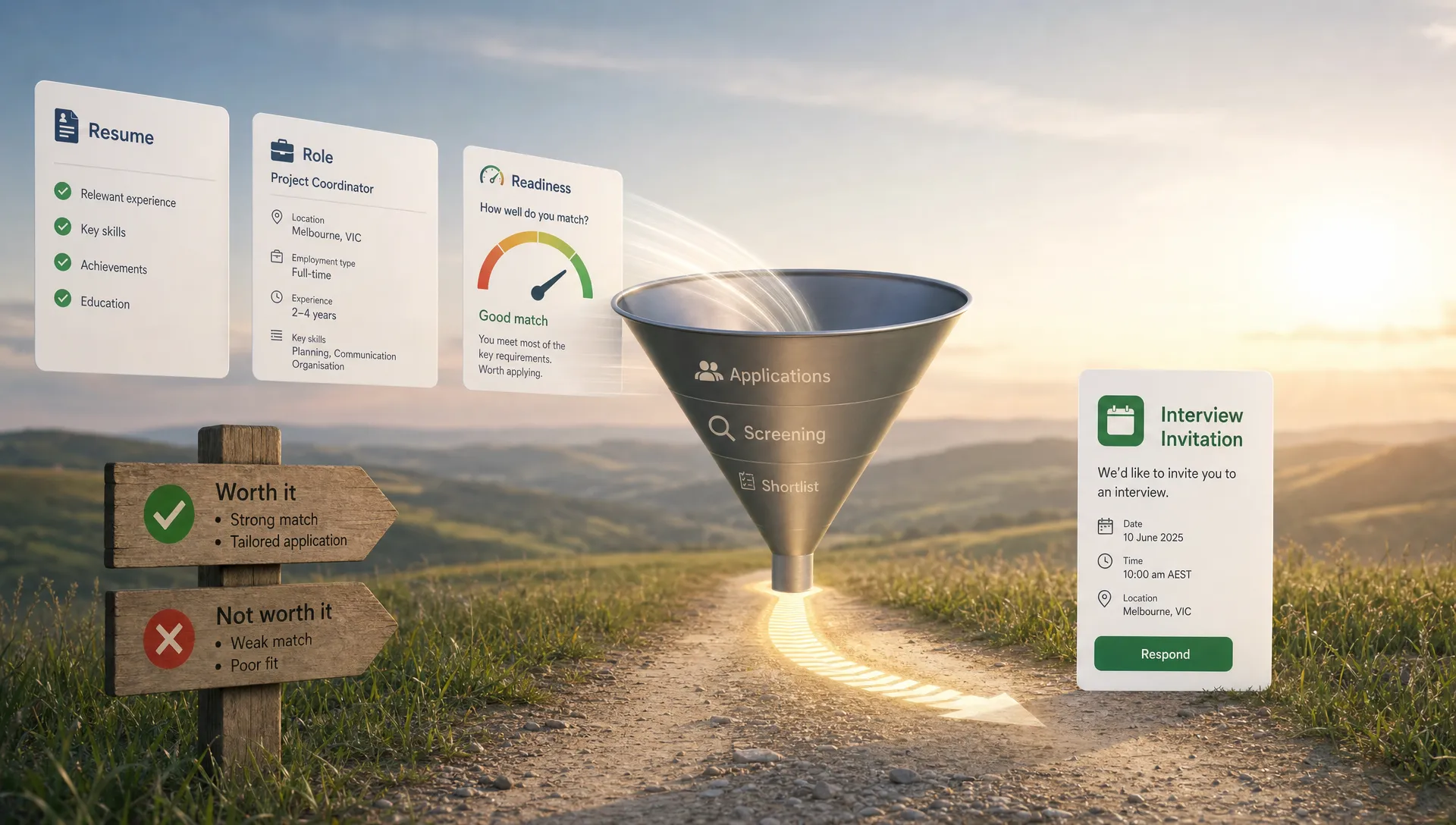
Before you apply, know where you stand. Versadox helps you score your resume, compare it against real roles, identify gaps, and make guided improvements so you can apply with more clarity and confidence. Use speed when it serves your strategy, not when it replaces it.





.svg)