Technology skills can make a resume look current, capable, and ready for the realities of modern work. But they can also become a weak section if they read like a random software shopping list.
The difference is evidence. Employers do not just want to know that you have used Excel, Canva, Salesforce, Python, ChatGPT, Figma, Shopify, or Microsoft Teams. They want to know whether those tools helped you solve a problem, complete a project, communicate better, analyse information, improve a process, or support customers.
That matters especially for students, graduates, and career changers. You may not have years of formal experience yet, but you may already have technology skills from study, internships, casual work, volunteering, side projects, or personal learning. Your job is to translate those skills into resume language that feels relevant to the role.
What counts as technology skills for a resume?
Technology skills are the digital tools, systems, platforms, and technical methods you can use to get work done. They include obvious technical skills, such as coding or data analysis, but they also include everyday workplace technology that employers expect people to use confidently.
A good technology skills section might include tools from areas such as:
- Productivity and collaboration, including Microsoft 365, Google Workspace, Teams, Slack, Notion, Trello, Asana, Jira, or Zoom
- Data and reporting, including Excel, Google Sheets, Power BI, Tableau, SQL, Python, R, or basic analytics platforms
- Creative and content tools, including Canva, Adobe Creative Cloud, Figma, WordPress, Shopify, Squarespace, or social media scheduling tools
- Business and customer systems, including Salesforce, HubSpot, Xero, MYOB, Square, Lightspeed, Zendesk, or ServiceNow
- AI and automation, including ChatGPT, Microsoft Copilot, Zapier, Make, workflow automation tools, or prompt-based research support
- Technical foundations, including HTML, CSS, JavaScript, Git, APIs, cloud basics, cybersecurity awareness, or database concepts
Not every resume needs all of these. In fact, a resume that lists too many unrelated tools can feel unfocused. The goal is to show the technology skills that match the job you want.
If you are applying for a marketing assistant role, Canva, Meta Business Suite, Google Analytics, Mailchimp, WordPress, and Excel may be more valuable than listing every programming language you briefly studied. If you are applying for a business analyst graduate role, Excel, SQL, Power BI, Jira, process mapping, and stakeholder documentation will usually matter more.
Why technology skills stand out when they are specific
Many candidates write technology skills in a way that sounds vague. For example, “computer skills”, “social media”, or “AI tools” does not tell an employer much. Specificity is stronger because it helps recruiters and applicant tracking systems connect your resume to the job description.
Instead of writing “Microsoft Office”, you might write “Excel, including pivot tables, XLOOKUP, conditional formatting, and basic dashboard reporting.” Instead of “social media”, you might write “Instagram scheduling, Canva content creation, Meta Business Suite, and performance tracking.”
Specificity also protects you from overselling. You do not need to claim expert-level knowledge if you are still developing. You can use accurate phrases such as “working knowledge”, “familiar with”, “coursework in”, “used for university projects”, or “applied in customer service role.”
This is where relevance matters. Versadox has written more broadly about the skills for your resume that employers actually notice, and technology skills follow the same rule: employers notice skills that are connected to the role, supported by proof, and easy to understand quickly.
Where to put technology skills on your resume
The best resume sections for technology skills depend on how important those skills are to the role. For a software, data, IT, digital marketing, or design role, technology skills may deserve a dedicated section near the top. For a retail, administration, education, healthcare, or hospitality role, technology skills may sit lower, unless they are central to the job.
A strong resume usually shows technology skills in more than one place. The skills section gives the recruiter a quick scan. The experience section proves you used those tools in context. The projects or education section can show how you built skills if you have limited work experience.
Here are the main places to include them:
- Resume summary: Mention one or two highly relevant technology strengths if they support your target role.
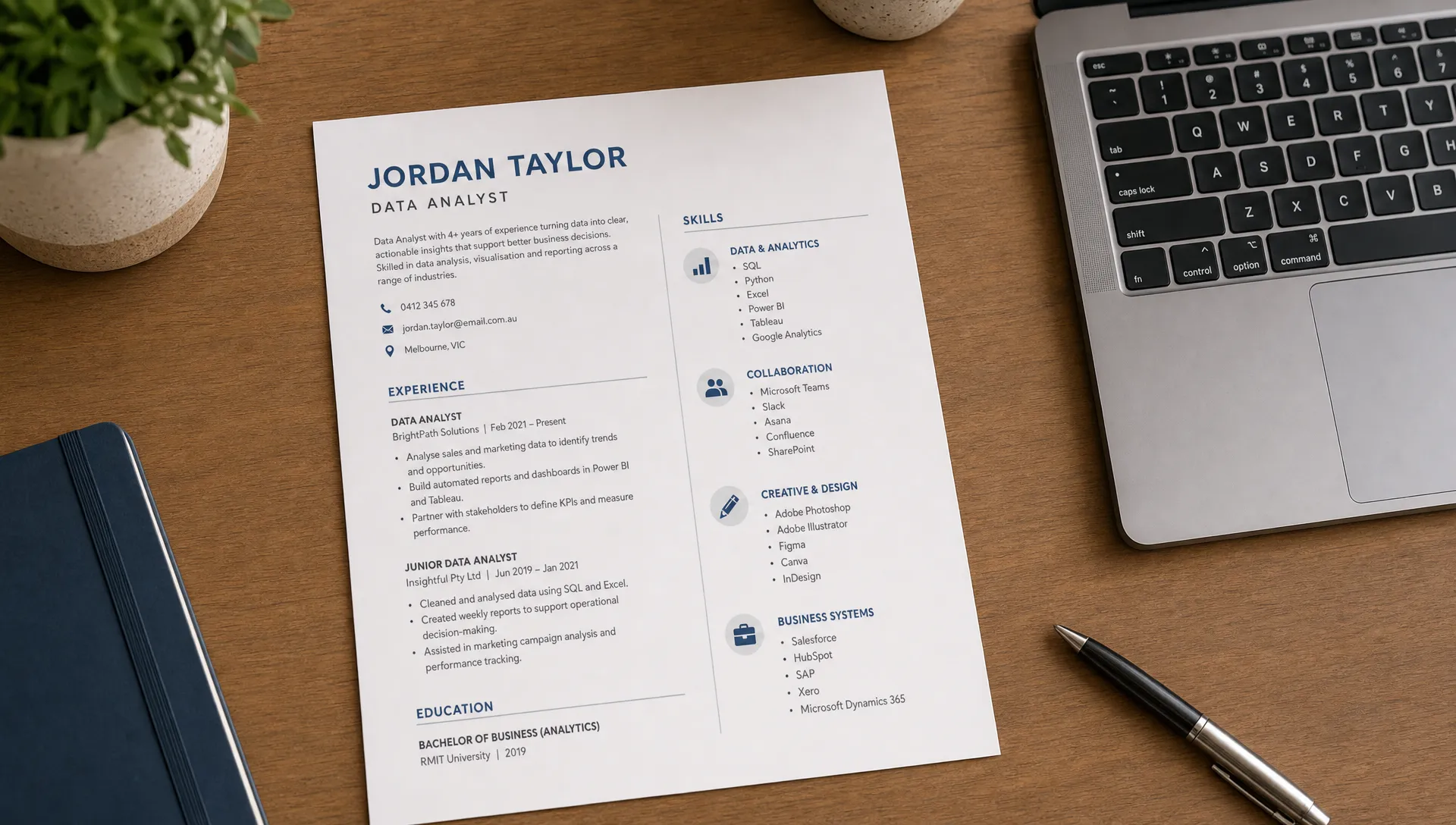
- Skills section: Group tools by category so the list is easy to scan.
- Work experience: Add achievement bullets that show how you used the tool to produce an outcome.
- Projects section: Use this when your strongest technology evidence comes from university, bootcamps, freelancing, volunteering, or personal projects.
- Education and certifications: Include relevant coursework, short courses, micro-credentials, or vendor certifications if they strengthen your application.
For example, your summary might say: “Graduate business student with strong Excel, Power BI, and customer data analysis experience gained through university consulting projects and retail operations work.” That is much stronger than simply listing “Excel, Power BI, teamwork, communication.”
If your summary itself needs work, start with the basics of how to write a strong job summary for your resume, then weave in only the technology skills that help position you for the role.
How to choose the right technology skills for each job
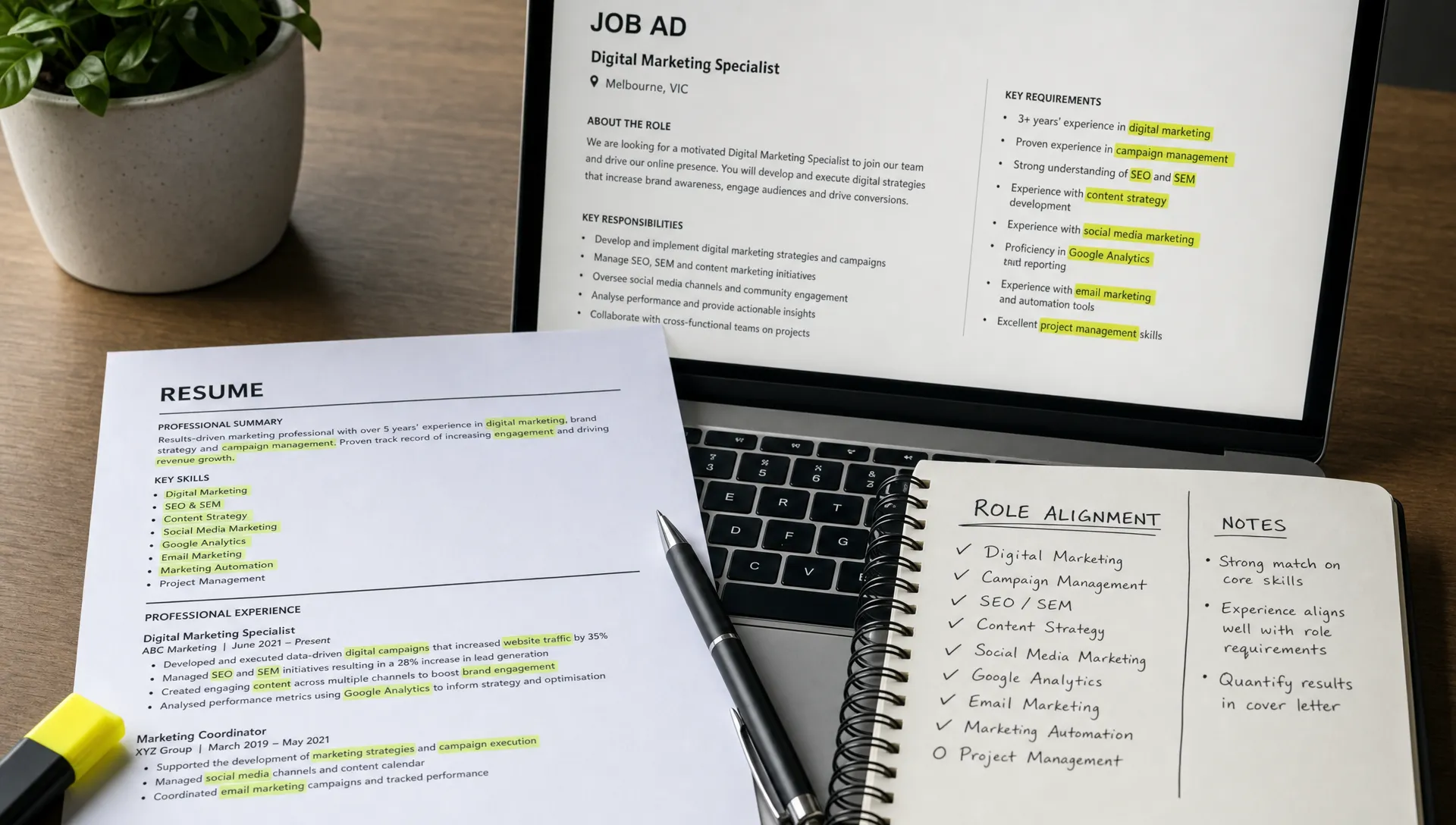
Before you edit your resume, read the job ad like a hiring manager. Look for tool names, software categories, responsibilities, and repeated phrases. A role may not say “technology skills” directly, but it might mention reporting, CRM updates, scheduling, digital records, online customer support, content management, dashboards, spreadsheets, or system administration.
Then ask yourself three questions:
- Which tools in the job ad have I actually used?
- Which similar tools have I used that show transferable ability?
- Which tools are essential enough that I should learn the basics before applying?
Transferable technology skills matter. If you have used Trello, you can often understand Asana quickly. If you have managed data in Google Sheets, you can build towards Excel confidence. If you have used Canva for club events, you may be able to support basic workplace content creation. Be honest, but do not underestimate yourself.
One useful method is to create a master list of every tool and platform you have used, then tailor a shorter version for each job. Your master list can be messy. Your resume list should be selective.
For an administration role, you might highlight Microsoft Office, calendar management, data entry systems, CRM updates, PDF handling, and digital filing. For a digital marketing role, you might highlight Canva, Google Analytics, Meta Business Suite, email marketing tools, CMS platforms, and reporting. For a data role, you might prioritise Excel, SQL, Python, Power BI, Tableau, and statistics coursework.
How to write technology skills with proof
The best technology skills for resume sections are backed by examples. A simple formula works well:
Tool + task + result or purpose.
You do not always need numbers, but numbers help when they are real. If you cannot quantify the result, explain the business purpose or audience.
Weak version: “Used Excel.”
Stronger version: “Used Excel to clean customer order data, identify duplicate entries, and prepare weekly stock reports for a retail supervisor.”
Weak version: “Canva and social media.”
Stronger version: “Created Canva graphics and scheduled Instagram posts for a student society, supporting event promotion and consistent brand presentation.”
Weak version: “AI tools.”
Stronger version: “Used AI tools to draft research prompts, compare source summaries, and refine cover letter language while reviewing final content for accuracy and tone.”
Weak version: “Shopify.”
Stronger version: “Updated Shopify product listings, edited descriptions, checked image formatting, and maintained pricing accuracy across seasonal promotions.”
For example, someone applying for an ecommerce, retail, or interior design support role could write about updating product data for a designer lighting store such as BUYnBLUE, then connect that work to CMS accuracy, image handling, inventory updates, or customer experience.
The point is not to make every bullet sound technical. The point is to show that you can use technology to support real work.
Examples of technology skills by career direction
Your resume should reflect your target role, not every possible tool you know. Use the following examples as a starting point, then adjust the wording to match the job ad and your actual experience.
For business, administration, and operations roles, useful technology skills may include Microsoft Excel, Outlook, Teams, SharePoint, Google Workspace, data entry systems, CRM updates, digital filing, PDF editing, scheduling software, and basic reporting.
For marketing, communications, and content roles, consider Canva, Adobe Express, WordPress, Shopify, Mailchimp, HubSpot, Google Analytics, Meta Business Suite, TikTok analytics, LinkedIn scheduling, SEO tools, and content calendars.
For finance, accounting, and commerce roles, relevant technology skills may include Excel, Xero, MYOB, Power BI, accounting information systems, financial modelling, data cleaning, and spreadsheet reconciliation.
For IT, software, and technical roles, focus on programming languages, frameworks, databases, Git, cloud platforms, testing tools, APIs, cybersecurity basics, help desk systems, and technical documentation.
For design, product, and UX roles, you might include Figma, Adobe Creative Cloud, Canva, prototyping, wireframing, usability testing tools, design systems, and collaboration platforms.
For customer service, retail, and hospitality roles, do not overlook POS systems, booking platforms, online ordering systems, inventory tools, customer databases, digital rostering, live chat tools, and payment systems. These are practical technology skills that show workplace readiness.
How students and graduates can prove technology skills
If you are early in your career, you may think you do not have enough evidence. You probably have more than you realise.
University assignments, group projects, online courses, part-time jobs, volunteering, student clubs, and personal projects can all provide proof. A student who built a PowerPoint deck for a group presentation has presentation software experience. A graduate who analysed survey results in Excel has data handling experience. A volunteer who managed sign-ups through Google Forms and Sheets has digital coordination experience.
The key is to frame the experience professionally. Instead of writing “made slides for uni”, write “developed a 15-slide presentation using PowerPoint to communicate market research findings to a class audience.” Instead of “helped with club Instagram”, write “created Canva assets and scheduled Instagram posts to promote weekly student club events.”
This is also useful for career changers. If your previous role used industry-specific systems, translate those systems into broader capabilities. A nurse using digital patient records can show accuracy, privacy awareness, and system documentation. A retail worker using POS and inventory tools can show transaction accuracy and stock data handling. A teacher using learning management systems can show digital content organisation and communication.
Common mistakes to avoid
Technology skills can weaken your resume if they feel exaggerated, outdated, or disconnected from the role. Avoid listing tools you cannot discuss in an interview. If you say you know SQL, be ready to explain what you have done with it. If you say you are advanced in Excel, be ready for questions about formulas, pivot tables, lookups, or data cleaning.
Do not hide important technology skills at the bottom if they are central to the role. A data analyst resume should not bury SQL and Power BI under generic soft skills. A digital marketing resume should not make recruiters search for Google Analytics or CMS experience.
Also avoid relying only on tool names. Recruiters care about judgement, problem-solving, communication, and results. Technology skills are strongest when they sit beside human skills. A candidate who can use a CRM is useful. A candidate who can use a CRM accurately, update customer notes clearly, and help a team follow up faster is more compelling.
Finally, do not send the same technology skills section to every employer. Tailoring does not mean rewriting your entire resume from scratch. It means making the most relevant evidence easier to see. That is one of the fastest ways to improve application quality, especially if you are trying to get a job faster with a smarter application.
A simple structure for a standout technology skills section
If you have several technical tools to include, group them so the section is readable. This works better than one long line of unrelated software.
You might use a structure like this:
- Data and reporting: Excel, Google Sheets, Power BI, survey analysis, dashboard preparation
- Collaboration and productivity: Microsoft Teams, Outlook, Google Workspace, Notion, Trello
- Content and digital platforms: Canva, WordPress, Mailchimp, Meta Business Suite
- Business systems: Salesforce, HubSpot, Xero, POS systems, inventory management tools
Only include categories that suit your background. A cleaner, shorter section is usually better than a long list that looks inflated.
If you have advanced skills, add depth. For example, “Excel” can become “Excel, including pivot tables, XLOOKUP, data cleaning, and dashboard summaries.” If you are a beginner, keep it honest: “Basic SQL coursework” is better than pretending to be a database specialist.
Frequently Asked Questions
Should I include basic technology skills on my resume? Yes, if they are relevant to the role. Tools like Excel, Teams, Google Workspace, POS systems, or digital scheduling platforms can be valuable when the job requires them. Avoid listing basic tools just to fill space.
How many technology skills should I list? Most resumes only need 6 to 15 well-chosen technology skills. Technical resumes may include more, but they should still be grouped clearly and supported by experience, projects, or certifications.
Can I include AI tools as technology skills? Yes, but be specific and responsible. Explain how you used AI tools for drafting, research support, workflow ideas, data summarisation, or editing, and make it clear that you reviewed the output for accuracy.
What if I do not have much work experience using technology? Use evidence from study, volunteering, personal projects, internships, casual work, or online courses. Employers care about applied ability, not just formal job titles.
Should technology skills go above work experience? Put them near the top if they are essential to the role, such as in data, IT, marketing, design, or analytics positions. For less technical roles, they can sit after your summary or below experience.
Build a resume that shows your real readiness
Technology skills for resume sections should do more than tick boxes. They should show that you understand the tools of the role, can apply them in real situations, and are ready to contribute with confidence.
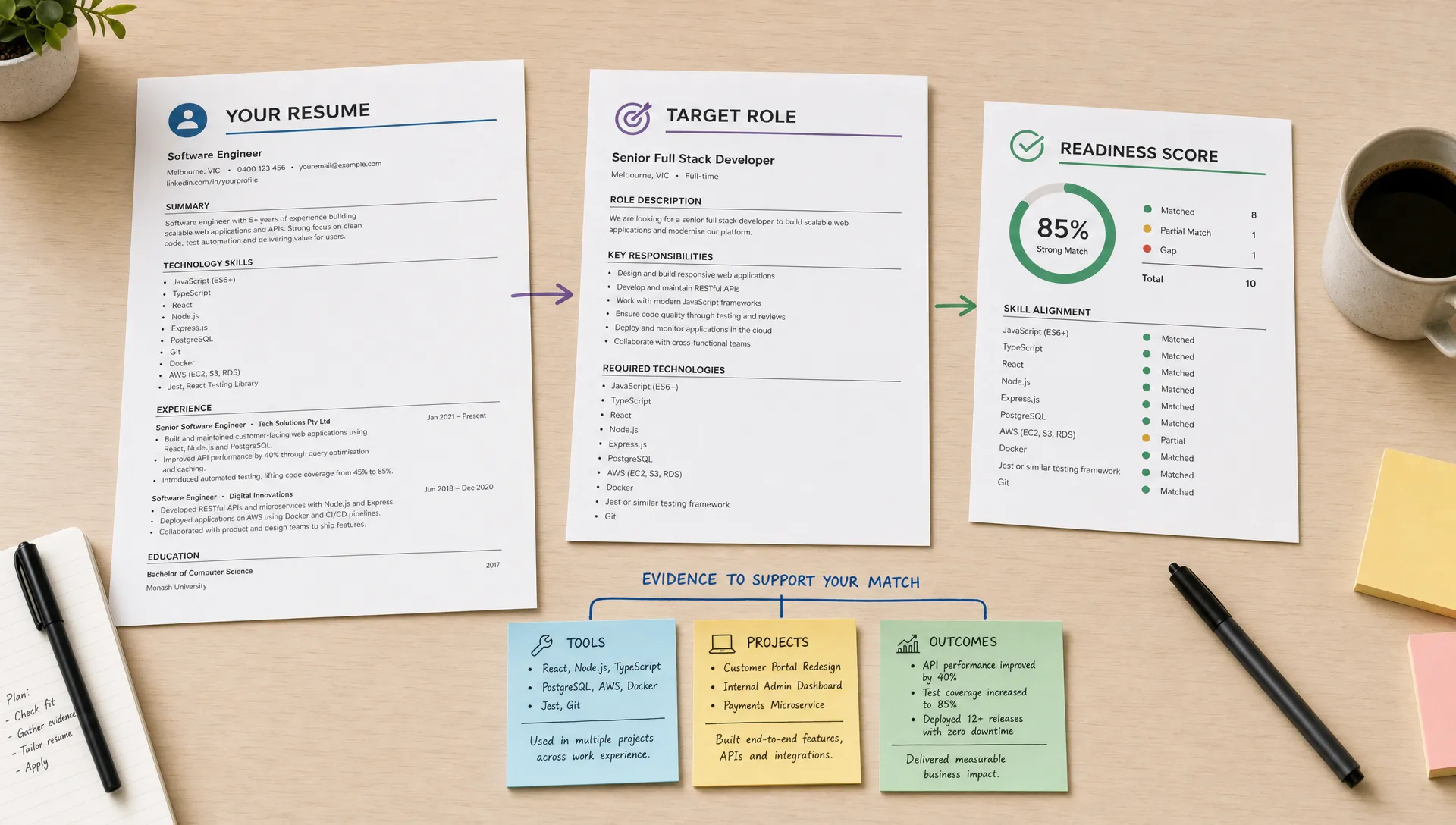
Versadox helps job seekers compare their resumes and cover letters against real roles, identify gaps, and make guided improvements before applying. If you are unsure whether your technology skills are strong enough, relevant enough, or positioned clearly, use Versadox to check your role alignment and improve your application before you send it.





.svg)